
Any invoicing tool can create a bill and email it. That’s table stakes, but it’s also where a surprising number of them stop.
The invoice goes out, the customer eventually pays, and then someone on your team re-enters that same information into the books. That manual re-entry means they’re logging the receivable, matching the payment against it, splitting a prepaid annual deal across the months it actually covers, and so on. The sending was automated, but the accounting was not.
For a founder or a small finance team, that second half is where the hours go. After all, an invoice is not finished when it is sent; it’s finished when the receivable is recorded, the cash is matched against it, and revenue lands in the right period on a general ledger you can actually close.
So the useful question to ask of any invoicing tool is not “can it send?” but “how far down that path does it carry the invoice before a human has to pick it back up?” The tools below answer that question very differently, and the gap between them is almost entirely about accounts receivable and revenue recognition — the two places where the handoff between billing and the books tends to break down the most often.
Bottom Line Up Front

QuickBooks Online and Xero record an invoice straight into accounts receivable and income the moment you save it, but they leave revenue recognition largely to you. FreshBooks does much the same with a lighter touch, aimed at service businesses that live in their invoicing. Stripe carries the invoice furthest on the billing side and can even build the revenue schedule, but it hands you a report to post into your books rather than being the books. Puzzle takes invoices into AR and runs revenue recognition inside its own general ledger so the schedule and the ledger are the same system. Your selection between these platforms will often depend on just how much you want to be hands-off.
QuickBooks Online

QuickBooks Online is the default general ledger for a large share of U.S. small businesses, and it’s the one your accountant almost certainly already knows. Invoicing is native to it rather than bolted on, which is the whole reason it belongs in this conversation.
When you save an invoice, QuickBooks debits accounts receivable and credits the income account tied to the product or service on the line. Record the payment, and it clears the receivable and increases cash. That much is automatic, and it posts to a real double-entry ledger with no export step in between.
Where it stops is timing. If you bill an annual contract up front, QuickBooks doesn’t natively spread that revenue across the year. Most teams route it through a deferred revenue account and release it with monthly journal entries, or add a third-party tool to schedule the recognition for them — which is just one more thing to juggle.
Strengths
- Invoices post to receivables and income automatically, with no sync or import between the invoice and the books.
- The ecosystem is very large, so nearly any bank, payment processor, or add-on you might want already connects to it.
- Almost every accountant and bookkeeper works in it fluently, which lowers the cost and friction of getting help.
Trade-offs
- Automated revenue recognition is limited, so deferred revenue usually still means manual journals or a paid add-on.
- Invoices post to a single default receivables account, with little control over which AR account they land in.
- Feature sprawl and stacked upsell tiers can make it feel heavier than a small team actually needs.
Best fit: Teams that want a familiar, accountant-friendly ledger and can handle revenue timing manually or with a bolt-on tool.
Xero

Xero is the main, global alternative to QuickBooks, and it’s well-liked for a clean interface and a deep marketplace of connected apps. For invoicing that reaches the ledger, it behaves much like its larger rival, with the same strength and the same gap.
Xero posts an invoice to accounts receivable and income on save, clearing the receivable when you record the payment. Like QuickBooks, it doesn’t generate revenue recognition schedules on its own.
The common pattern is to post prepaid invoices to a deferred revenue liability and then maintain a spreadsheet alongside Xero that tracks each contract, its value, and its service period, with a manual journal every month to release the portion that has been earned. That approach works fine early on but gets progressively harder to maintain as contracts pile up and their service periods overlap.
Strengths
- Invoicing flows directly into the ledger, with strong bank reconciliation for matching payments to invoices.
- The partner app marketplace is broad, so revenue recognition and billing add-ons are easy to find and connect.
- Standard plans include unlimited users, which suits teams that want several people working in the books.
Trade-offs
- There’s no native revenue recognition scheduling, so deferred revenue ends up in spreadsheets or an add-on.
- U.S. accountant familiarity remains lower than QuickBooks, though the gap has been narrowing for years.
- Managing recognition outside the ledger reintroduces exactly the manual handoff you were trying to remove.
Best fit: Teams that like the interface and ecosystem and are comfortable adding a dedicated tool for revenue timing.
FreshBooks

FreshBooks was built for invoicing first and foremost, and it remains popular with freelancers and service businesses. It later added double-entry accounting so it could function as a small ledger rather than only a billing pad, which is what puts it on this list.
On its paid tiers, FreshBooks now includes a general ledger, chart of accounts, trial balance, and bank reconciliation. An invoice records a receivable and revenue, and a payment reduces the receivable while increasing cash.
It’s the same double-entry mechanics as the larger platforms, though the ledger is intentionally lighter. It doesn’t schedule deferred revenue for you, and some entries that other systems automate (such as depreciation) are left to manual journals. It’s closer to a well-organized set of books for a service business than it is to a full accounting engine.
Strengths
- Invoicing is fast and polished, which is the reason most of its users choose it in the first place.
- The double-entry ledger, chart of accounts, and reconciliation give each invoice a real place to land.
- It’s approachable for owners who never wanted to learn accounting mechanics to run their business.
Trade-offs
- Revenue recognition is not automated, so any multi-period contract needs manual handling.
- The ledger is lighter than QuickBooks or Xero once a business grows more complex.
- Some routine entries, depreciation among them, are manual rather than scheduled.
Best fit: Service businesses and solo owners who want excellent invoicing with just enough of a ledger to stay organized.
Stripe Invoicing (with Revenue Recognition)
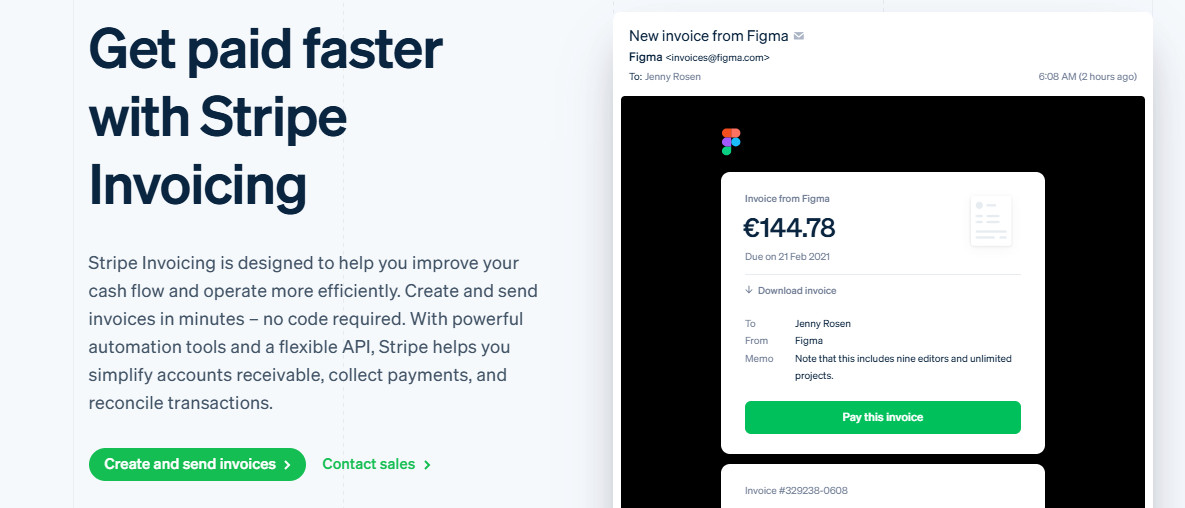
Stripe is not an accounting platform; it is a billing engine. But if your revenue already runs through it, Stripe can take an invoice much further than a static PDF, and its Revenue Recognition product is the reason it belongs alongside the ledgers here.
Stripe Billing sends invoices, runs subscriptions, and allows for usage-based charges and the ability to collect payments directly. Its Revenue Recognition product sits on a double-entry ledger, treats each invoice line item as a performance obligation, and builds deferred revenue schedules aligned to ASC 606 and IFRS 15, including proration when a subscription changes mid-cycle.
The catch is the final step. Stripe generates journal entries, deferred revenue waterfalls, and AR aging as reports that you map to your chart of accounts and export into your accounting system. It models the revenue in real detail, but it’s not the general ledger of record, so those numbers still have to move into your books — usually as summary journals and with a short data delay before a period settles.
Strengths
- Billing is best-in-class for subscription and usage-based models, and it collects payment directly.
- Revenue Recognition produces genuine ASC 606-style schedules without a maintained spreadsheet.
- Reporting traces down to the individual customer, invoice, and account level
Trade-offs
- It’s not your general ledger, so entries still have to be exported and posted into your books elsewhere.
- The reports carry a data delay and are static, which means month-end still involves a handoff.
- The full value only shows up for businesses whose revenue mostly flows through Stripe to begin with.
Best fit: Stripe-centric businesses that want serious billing and real revenue schedules, as long as they’re okay keeping their ledger in another system.
Puzzle

Puzzle is a newer, AI-native accounting platform built around its own general ledger, aimed squarely at startups and the finance teams that support them. It keeps invoicing, receivables, and revenue recognition inside one system rather than spread across several.
You can enter invoices directly in Puzzle or sync them automatically from Stripe. When payment arrives, marking it as an invoice payment reduces accounts receivable rather than double-counting it as new revenue. But it also runs automated revenue recognition inside the same ledger, posting the recognized portion to the general ledger each month without a separate export. It can do this for both Stripe subscriptions and invoices entered directly.
Because the schedule and the ledger are one system, the path from sent invoice to recognized revenue closes without as much manual work.
Strengths
- Invoicing flows into AR and automated revenue recognition inside a single ledger, with no export step between them.
- It reads startup metrics such as MRR, ARR, and runway directly from the books instead of a side spreadsheet.
- Native connections to Stripe, Mercury, Brex, Ramp, and similar tools keep the underlying source data clean.
Trade-offs.
- Banking and payroll integrations outside the U.S. are still maturing, and it’s less suited to non‑U.S. rules.
- It does not guarantee full ASC 606 compliance on its own, so complex contracts still call for judgment.
- As a newer platform, it has a smaller ecosystem and less accountant familiarity than the incumbents, and its AR aging report is strongest for Stripe invoices today.
Best fit: Startups and finance teams that want invoicing, receivables, and revenue recognition to live in one closed loop rather than stitched together across separate tools.
Where This Leaves You

The right pick of invoicing software follows almost entirely from how far you need the invoice to travel on its own.
If you mainly need clean books and have someone to handle revenue timing, QuickBooks Online and Xero are both proven and well-supported, and FreshBooks covers a service business that essentially lives inside its invoicing.
If your revenue runs through it already and you want real recognition schedules without building them by hand, Stripe’s Revenue Recognition does that part well, as long as you’re content to post the results into a ledger you keep somewhere else.
If the specific thing you’re trying to eliminate is the handoff itself, such as the re-keying between “invoice sent” and “revenue recognized on a ledger you can close,” Puzzle is the option that collapses those steps into one system.
Just weigh the trade-offs against your situation before you commit. You’ll still rely on Stripe to actually collect payment, and complex revenue arrangements still deserve a human review rather than blind trust in any schedule.
Match the tool to how much of the loop you actually need closed, and you won’t overbuy a platform you don’t need or spend your evenings re-keying invoices you’ve already sent.